Connecting PayPal to Your Storefront

While PayPal payments is integrated with your BizProWeb Storefront, the process of connecting to PayPal still needs to be completed.

Luckily, the setup process is easy and can be done in a matter of minutes.

01. Obtaining PayPal Identity Token

The PayPal identity token is essential for verifying payments without using PayPal’s Instant Payment Notification (IPN). The token allows your customers to track their payment process in a secure channel.

Here are the steps to obtain the identity token:

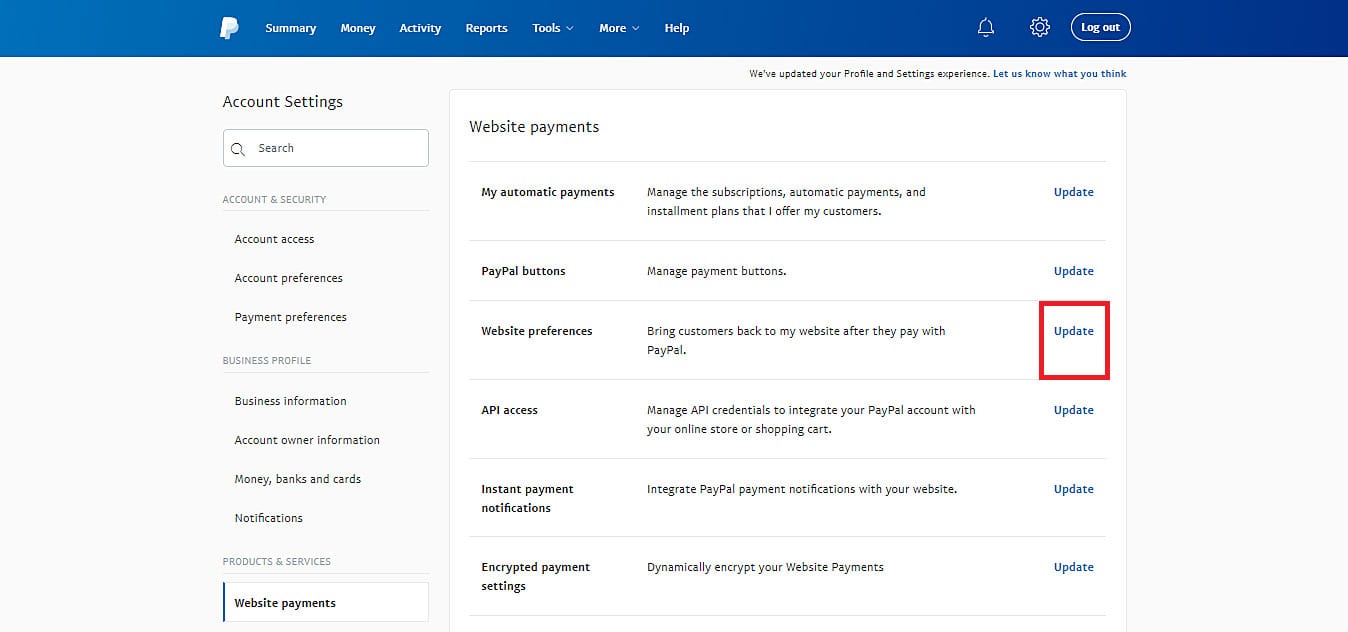
A. Access your PayPal dashboard, then navigate to Account Settings → Website payments. Tap the Update link next to the Website preferences option.

B. Enable the Auto return for website payments, then add your store’s thank you page link in the Return URL field.

C. Enable the Payment data transfer as well. The identity token should appear at the bottom of the section.

D. Once you have your Identity Token, copy it, then navigate back to your BizProWeb site Admin and Paste the token in the PayPal payment settings and Save: Storefront → Settings → Payments → PayPal

BizProTip:

02. REFUNDS: Obtaining API Credentials

If you want to allow refunds on your store via PayPal, you’ll need its API credentials — Live API username, password, and signature.

To get PayPal’s API credentials:

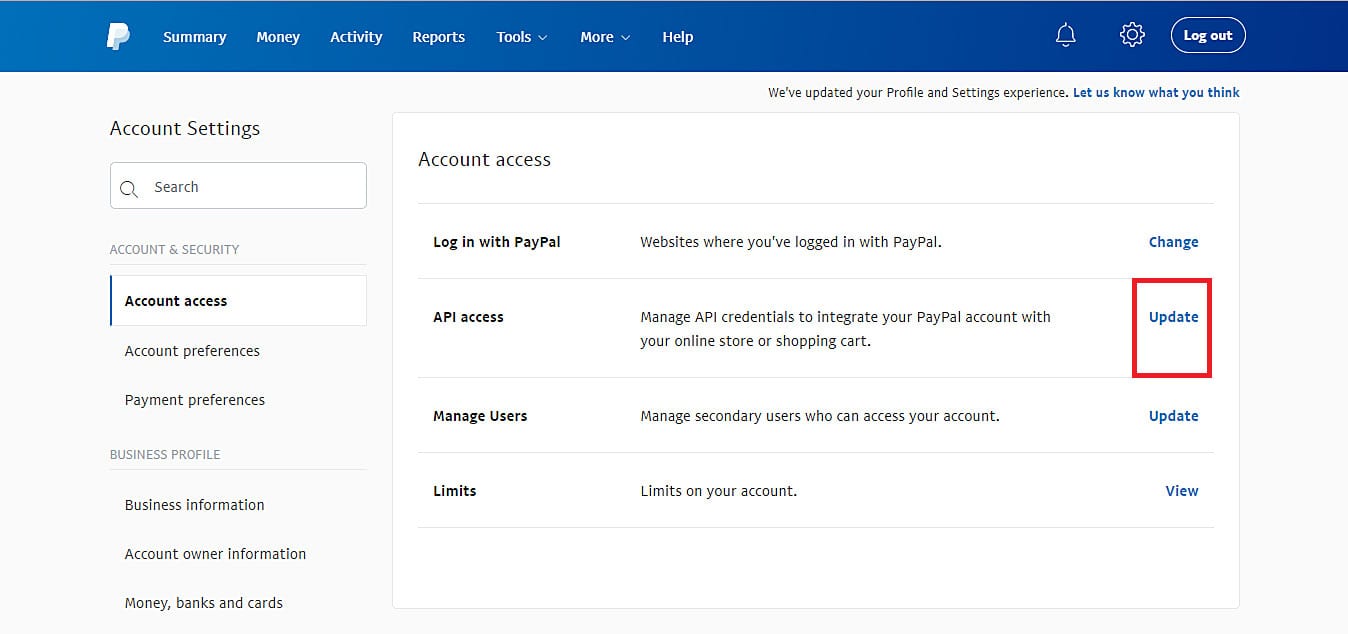
A. From the PayPal dashboard, go to Account Settings → Account access. Press the Update link beside the API access option.

B. Navigate to the NVP/SOAP API integration (Classic) section, then click Manage API credentials.

C. On the Request API Credentials page, select the Request API signature option. Press Agree and Submit, and you’ll see your API credentials on the next page.

D. In a new Tab, return to the PayPal Settings page, Paste the API Credentials in their respective locations, and save: Storefront → Settings → Payments → PayPal

Picture of scott l. ilg

scott l. ilg

A graduate of the University of Cincinnati, DAAP program, Scott has been developing websites and marketing brands since 2009. Founder of sliStudios Web Development, Scott created BIZPROWEB in 2014 to support small businesses who could not afford the overhead of a custom agency-built website.
Key Takeaways..

Subscribe to our Newsletter

We’re always cool to share our knowledge with you. From Website Design trends and best practices, to Marketing and Business growth strategies. 

Share this post with your friends

Free 30-Day Trial
Secret Link